Black Myth Wukong is one of those PC games that will quickly humble a midrange system. Built on Unreal Engine 5 and utilizing Nanite streaming, Lumen global illumination, and virtual shadow maps, it's incredibly resource-intensive. If you're wondering can the RTX 3060 play black myth wukong, the answer is yes — provided that you have realistic expectations about how things will perform based on your settings. This guide will break down your performance expectations using the 2026-patch Black Myth Wukong and will clarify the types of FPS you should expect along with the settings that will be most important on the RTX 3060.
Can The RTX 3060 Run Black Myth: Wukong
Yes, the RTX 3060 can play Black Myth: Wukong and with the right configuration, it can run it at a reasonable frame rate. However, this game does not tend to be forgiving, so whether or not you have a good experience with it depends on how you configure the card. Most gamers will enjoy playing at 1080p.
The biggest distinction for this game comes down to the difference in the two different cards, RTX 3060 12GB and RTX 3060 8GB. The cards are not interchangeable within the game due to the following reasons: The 12GB model utilizes a 192-bit memory bus and has 360GB/s of memory bandwidth, while the 8GB version has a 128-bit memory bus with 272GB/s of bandwidth. There is a major difference in performance between the two cards.
As 12GB of VRAM will allow you to play Black Myth: Wukong at 1080p without the ray tracing option unless you have more than 8GB left over after loading your VRAM. In other words, at least 8GB of VRAM is the minimum needed to maintain steady frame rates and avoid significant drops. For the 8GB version, you are pretty much at the limit, so after that point, it will have to rely on your system RAM. This is where problems can occur, such as texture pop-bumping, stuttering, and the worst kind of stuttering, which can make combat feel worse than what the average FPS says.
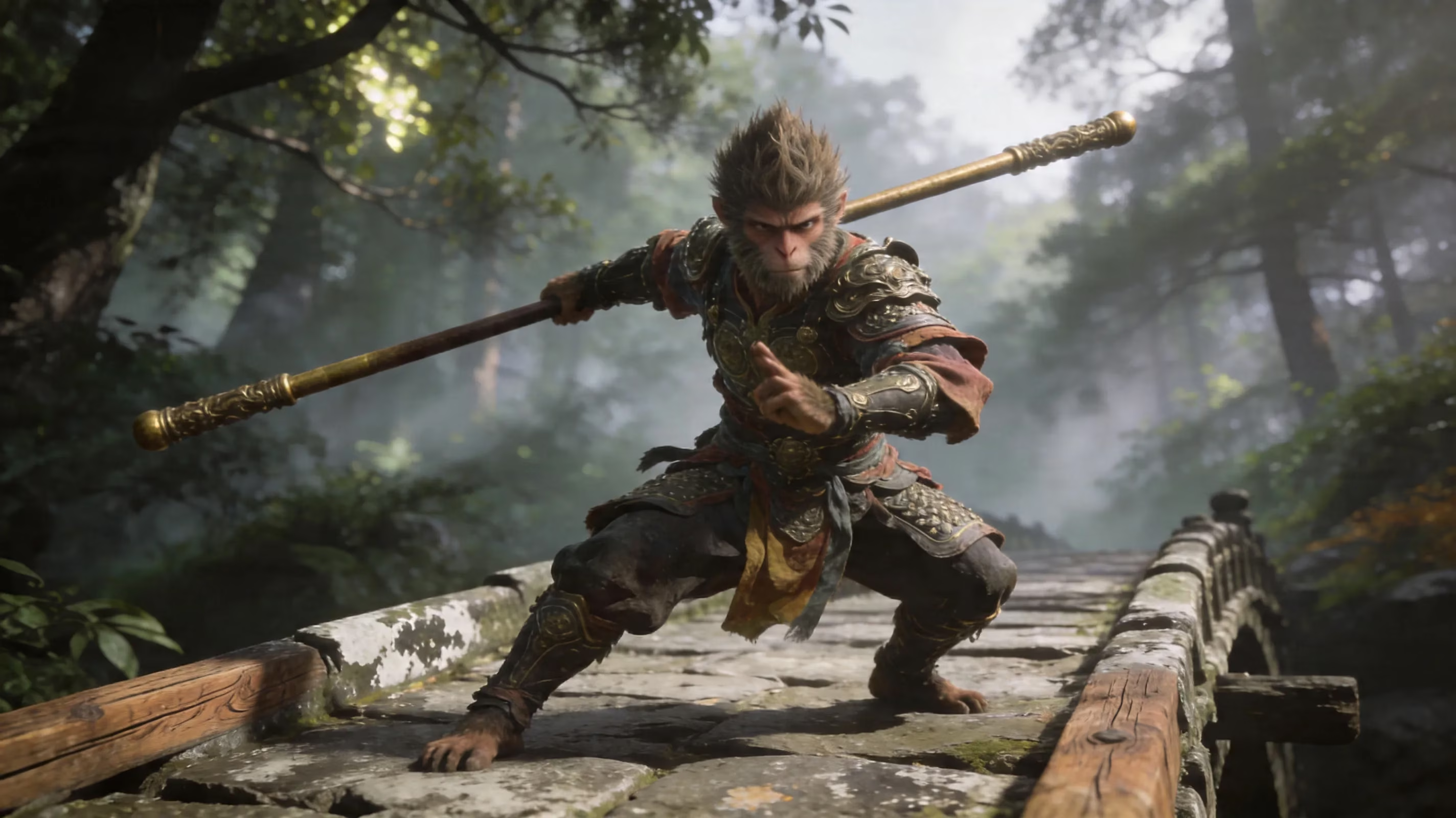
When allowed to run the game in native mode, the RTX 3060 12GB runs at a low-to-mid 40 FPS (frames per second) at 1080p Medium. While this can technically be played, it is not ideal for a fast-paced action RPG, where responsive gameplay is important. A much better solution is to use DLSS. The RTX 3060 can generally run around 55 to 70 FPS at 1080p quality and relatively balanced settings with DLSS Quality enabled; this makes it a much better fit for this game.
Black Myth: Wukong RTX 3060 FPS Predictions
You might try tuning the settings before you do any work based on how each card performs at typical settings. The average measurements listed below are generally the averages at those settings without frame generation. | Preset | Resolution | Upscaling | Avg FPS | 1% Lows | |---|---|---|---|---| | Low | 1080p | None (Native) | ~52 | ~38 | | Medium | 1080p | None (Native) | ~42 | ~28 | | High | 1080p | None (Native) | ~31 | ~19 | | Medium | 1080p | DLSS Quality | ~65 | ~48 | | High | 1080p | DLSS Quality | ~55 | ~38 | | Medium | 1440p | DLSS Quality | ~48 | ~31 | | Medium | 1440p | DLSS Balanced | ~54 | ~35 |
While these numbers would seem to show decent performance in Black Myth: Wukong on an RTX 3060, you really need to focus on 1% low numbers since they can tell you how the game performed in situations where a hit is required for a boss fight. Massive amounts of particle effects, dense shadows, enclosed areas, and active Lumen lighting that is rendering at times will lower the frame time drastically even with averages that still look acceptable.
You also need to consider how UE5 can have stutter when traversing. This isn't a GPU-only issue. There are shader compilation times and asset streaming that will cause minor stutters when moving throughout a level or transitioning to new areas. Even the quickest graphic cards experience this. Getting a fast NVMe SSD will help, but it will not completely eliminate the issue.
When playing at 1440p, DLSS Quality can provide a decent experience; however, averages in the high 40s are really not ideal for a game that needs quick reactive movement with precise timing when dodging. If you're keen on gaming at a resolution of 1440p with your RTX 3060, the ideal option is to select the DLSS Balanced setting.
Top Settings to Use for RTX 3060 in Black Myth: Wukong
1080p Configuration For Smooth Gameplay
If you want to play comfortably at 1080p, the following is the general configuration for every owner of an RTX 3060 with 12GB Graphics Card. It offers decent overall picture quality and decent gameplay.
-
DLSS Setting: Quality
-
Ray Tracing/Use: OFF
-
Shadow Quality: Medium
-
Global Illumination: Medium
-
Reflection Quality: Medium
-
Texture Quality: 12GB Texture Quality is High, but may use Moderate or Low quality 8GB
-
V-Sync: Disable
-
Motion Blur: Disable
-
Film Grain: Disable
-
Chromatic Aberration: Disable
DLSS is highly recommended for high-quality visuals. DLSS uses 720p render resolution internally and will provide a simulated output image to appear as 1080p resolution, even when in motion. The quality of play still looks reasonable. You won’t see any significant difference between the two performance with low-quality DLS and high-quality DLSS.
You should keep Ray Tracing settings off. Akinele will cost your GPU approximately 25-40% of its total power to render images using Raytracing abilities, and Lumen represents all of the visuals accurately. If your goal is to achieve a consistent visual experience, this means that you would rather use this option than Raytrace.
Shadow quality will help improve your performance in-game. Reducing Shadow to Medium from either High or Very High will improve FPS performance by approximately 10-17 FPS depending where you are playing and in which lighting. Global Illumination set to Medium also keeps the aesthetic appeal of a scene, while using the graphics card less for a quality gaming experience. High textures are reasonable on the 12GB card; you'll have enough headroom in VRAM to use them without worrying about overflowing. But if you're on the 8GB Variant, then likely, you'll want to be a little bit more careful with them.
1440p Survival Setup
You can run Black Myth: Wukong at 1440p on an RTX 3060, but I wouldn't describe that setup as 'comfortable'. It will work if you're willing to make some obvious compromises.
A good setup to start with looks like this:
-
DLSS Balanced
-
Ray Tracing Off
-
Hair Quality (Low or Medium) Low
-
Reflection Quality Low
-
60 FPS frame cap
-
If you feel the image is too soft, add sharpening very carefully.
DLSS Balanced should always be the setting to use at 1440p. Yes, DLSS Quality looks sharper, but in tougher fights, it puts the card far too close to its limits and may not have enough room for you to deal with it. Balanced gives you much more room where it matters most - 1% lows, and frame pacing.
Hair Quality is another potential performance-hog, just because you may have great looking strand-based hair appearing in screenshots doesn't necessarily mean you'll notice the difference when you're performing combos with your staff quickly, or dodging a boss fight. You can lower your reflection level without impacting the overall look of most areas too much.
Frame Generation may seem a bit tricky in this case, as the RTX 3060 does not support DLSS Frame Generation, which is only available on RTX 40-series cards. You can technically use FSR 3 Frame Generation in Black Myth: Wukong but with this level of hardware, it has frame pacing problems and is generally capped at around 60 fps. In reality, a 60 fps hard cap through NVIDIA Control Panel frequently feels smoother and more regular than trying to use frame generation.
Most Significant FPS Hitters
If you’re trying to get some performance back, there are a few settings that matter much more than others.
-
Shadow Quality: one of the most demanding settings in-game
-
Global Illumination: puts a lot of demand on the GPU because Lumen
-
Reflections: not as rough as shadows but still can be pretty noticeable
-
Ray Tracing: by far the most demanding option
-
Hair Quality: very expensive for what you can actually see while playing
Of all those settings, Shadow Quality and Global Illumination are the two most important. The higher settings look incredible while standing still, but once you’re playing the difference is very small vs. the performance drop. The same goes for GI, the High setting looks very nice, Medium still gives you nearly all of the atmosphere with a much larger amount of GPU headroom.
Reflections are a smaller but still worth cutting. High to Medium usually saves 7 to 8% GPU usage. Ray Tracing is the real killer though. After running numerous optimization tests, turning off RT shadows, RT reflections, and RT GI can create a performance increase of about 70 to 160% depending on the scene – huge!
As for traversal stutter, that’s a different kind of issue. The issue with Black Myth: Wukong on Unreal Engine 5 relates to our issues with shader compiling and streaming, but not just sheer GPU power. The only real way to deal with this is not solely using the graphics options available. However, if you adjust your NVIDIA Shader Cache Size Setting to Unlimited in control panel and then perform the in-game benchmark before you start your first intense game play session; this might give you some reasonable time for important shader precompilation.
Bottleneck Potential with RTX 3060 in BmW
The question of whether an RTX 3060 can run Black Myth: Wukong does not end at the graphics processor. Often the hardware you use with your graphics card will hold back its potential too, and this is more likely to happen here than you expect.
The most important factor in conjunction with the RTX 3060 is the CPU you use with it. When designing their next-gen Unreal 5 games, Epic is using single thread performance MOST for game traversal, world logic, and providing overall consistency in frame rate across all values in UE5; thus, when the RTX 3060 graphics card is paired up with an older quad-core processor or with an older but still functional 6-Core processor, will drop due to limits in CPU dependencies even when GPU performance is not maxed out. Consider pairing with a Ryzen 5600, or at least an Intel I5-12400F, otherwise consider pairing with a processor, like a Ryzen 7 5800X3D, that has heavy cache; and you will be practically guaranteed much better than 1% low frame rates with your graphics card.
When determining how much memory to install on your computer just remember there is also a huge difference in performance based on how the memory in your computer is being used for processing. The official minimum is 16GB of RAM, but single channel 16GB of RAM would likely hold back your performance here. A dual-channel memory setup will make a lot of difference in performance in this case. At a minimum, I would recommend a dual-channel memory configuration of 2×8GB of RAM per graphics card, but if at all possible a dual-channel configuration of at least 32GB of DDR4 memory would give you enough memory capacity to help minimize the frame rate spikes in denser areas of the game.
Lastly, many players do not consider the difference with the storage they use while playing these next generation games. To run Black Myth: Wukong, you'll need 130GB of hard drive space and a lot of data is streamed constantly while playing this game - thus using a normal (non-NVMe) hard drive would likely result in stutters while playing. The most optimal setup would be using an NVMe SSD connected through either PCIe 3.0 or 4.0. If you're using a SATA SSD, you can still run this game however you won't be able to do a lot of switching between loaded areas of data as smoothly as with an NVMe.
In regards to thermals, under load, the RTX 3060 will usually run at a temperature between 65-70C, assuming that proper airflow is present in your case. This would fall within normal operating temperatures. However, if the airflow in your case is poor or your case is small, you may experience thermal throttling and have problems with consistency in your frame times when playing this game. When it comes to drivers, which play an important role in how your video card operates, it is possible that there are some differences between the driver version released at the time of this title that would be more significant than in other games, and using an outdated driver will usually reduce your performance.
For those currently using an RTX 3060, there are a few potential upgrade paths for Black Myth: Wukong that can be anticipated in 2026. | GPU | Compared to RTX 3060 12GB | Primary Differences ● Pricing for Used Cards | | --- | --- | --- | | RTX 3060 Ti | Approximately 15-20% better FPS performance than RTX 3060. It also features the same video memory type (8GB GDDR6), but has a narrower Memory Bus interface (192bit vs. 256bit) | $160 - $200 | | RTX 4060 (8GB) | Approximately 15-20% better FPS performance than RTX 3060. This offering features nano DLSS Frame Generation (DLSS FG), but it has only 8GB GDDR6 (versus 12GB GDDR6 for RTX 3060). | $260 - $310 | | RTX 4070 | Approximately 60-70% better FPS performance than RTX 3060. It has 12GB GDDR6 and supports nano DLSS FG. This card is a true 1440p graphics card. | $350 - $430 | | RTX 3080 (10GB) | Approximately 50-60% better FPS performance than RTX 3060. Supports true 1440p gaming using 10GB GDDR6 memory | $250 - $320 |
Although the RTX 3060 Ti is faster than the RTX 3060 by about 15% to 20%, and has the same amount of GDDR6 VRAM, the performance gains aren't significant enough to justify upgrading your graphics card if you want superior performance when playing Black Myth: Wukong. Another thing to consider is that most RTX 3060 Ti models only have 8GB of GDDR6 memory, which negates the potential advantages of having additional video memory when you play Black Myth: Wukong.
The RTX 4060 is very similar to the RTX 3060 Ti. Yes, it has DLSS FG technology, making it possible to achieve the highest average frame rates possible when you play Black Myth: Wukong. However, it will still only have 8GB of GDDR6 memory at launch, meaning it also has no real advantage over the RTX 3060 in this title. When memory usage becomes heavy enough, the result will be reduced image quality or even stuttering.
The true upgrades from the RTX 3060 12GB experience will occur with the RTX 4070 and RTX 3080 (10GB) graphics cards. This is where 1440p gaming will become a reality instead of wishful thinking. If you want to get Black Myth: Wukong looking and running as it should be, these are the only tiers that truly have any impact on your performance.
In terms of value, a used RTX 3080 is probably the most compelling leap forward. The performance impact of this card's previously owned state is enough to present a significant performance boost for this particular title while typically offering a cost-effective alternative to purchasing a brand-new card in most regions.
Black Myth: Wukong FAQ - RTX 3060
Can the RTX 3060 run at 60 FPS?
Absolutely! When enabled for DLSS Quality settings @ 1080p and shader quality settings set to Medium, on should expect an average of 60-70 FPS for the RTX 3060 12GB on average. However, it should be noted that reaching sustained 60 FPS at native resolution (without upscaling) becomes less achievable as one moves beyond low settings.
Is ray tracing worth using with the RTX 3060?
No, it's far too much of a performance hit to justify what you will gain visually. The Lumen engine does a majority of the heavy lifting for the overall atmosphere of the game, so enabling hardware RT on an RTX 3060 generally yields little to no benefit so, therefore, if you are looking at a distinct increase in performance for this game, make sure that RT is off.
Why does the game have stuttering issues despite having a reasonable average frame rate?
Average frame rate does not necessarily elaborate on all aspects of stutter. While some stuttering issues can be attributed to shader compilations and asset streaming from UE5, having an already good average frame rate does not necessarily prevent hitches in the play experience. All of the following would assist in alleviating these performance issues: run the game on an NVMe SSD, setting the Shader Cache Size to Unlimited, and running the benchmark tests first, you could run into the nasty screen-space frame time spikes from poor CPU performance, as well.
What is the best configuration for the RTX 3060 12GB?
For AA players, here is the best configuration:
-
Resolution: 1080
-
DLSS: Quality
-
Shadow Quality: Medium
-
Global Illumination: Medium
-
Texture Quality: High
-
Reflection Quality: Medium
-
Ray Tracing: OFF
-
Vertical Sync: OFF
-
Motion Blur / Film Grain / Chromatic Aberration: OFF
This configuration gives the RTX 3060 12GB to achieve averages of between 60-70 FPS during normal gameplay while maintaining respectable 1% low averages during boss fight gameplay.
Conclusion
If you are still wondering "will the RTX 3060 be able to run Black Myth: Wukong in 2026?" the short answer is yes...sort of. The best place for the RTX 3060 to perform optimally for this title will still be at the 1080/Quality DLSS setting. The 12GB of VRAM (video memory) in the 3060 12GB version will make a significant difference in performance for this title compared to less-than-adequate alternative cards with only 8 GB of VRAM that will run into texture streaming problems faster than an RTX 3060 12GB user.
For the optimum overall gameplay experience, disable Ray Tracing, choose medium settings for Shadows and Global Illumination, and disable any unnecessary post-processing effect. The above configuration will provide a good blend of image quality and response time for gameplay. You may be able to push image quality to 1440/Quality DLSS, but honestly, the built-for-1080p RTX 3060 will offer the consistency, details, and enjoyment of Black Myth: Wukong.